SteamCMD+ Goldberg Steam Emu- Offline + Unfair Bot Match instant-launch
70GB+ 7.39,50GBPre-Crownfall,14GBClassic- Pre-Crownfall is before 7.36 that introduced Hero Facets
- I think Facets enforce a predetermined play-style and makes randoming Heroes less-fun
- Classic is Source 1 (
win32DX9) - Classic is more chill and I like it! Warlock is way less-OP :p
- I had to finally look into obtaining older Dota 2 versions after the 2025 “Spring Forward” 7.39 update introduced more-complex UX with the courier and having it auto-buy (totally broke my Octraine Core flow!)
Category: Windows OS
-
Dota 2 Pre-Crownfall and Classic! (Windows)
-
Dota 2 Offline + OHA Bot Scripts (Windows)
https://wiki.realmofespionage.xyz/games;windows;dota_2_steamcmd
Download Dota 2 through SteamCMD, and use high-quality bot scripts, in ultimate offline style!
- SteamCMD instead of full Steam GUI client (lighter, less telemetry)
- Goldberg Steam Emulator (satisfy Dota 2 hooks)
- Dota 2 all-official files/updates/validation
- Open Hyper AI bot scripts (easily swappable)
- Dota 2 forced-offline
- Batch files, Start Menu shortcuts
- Dota 2 launcher immediately launches into Unfair bot match
- Linux and FreeBSD too!
SteamClientDll64was the only thing I couldn’t avoid aC:\for :p -
Don’t casually mess with PATH
I like automating, and like adding folders to PATH, There’s SET, SETX, and /M that I’ve messed with over the years casually, but when setting up freenginx I randomly found my user PATH had only one folder in GUI, vs the list I was expecting. Turns out my last messings with SETX wiped out all existing folders in PATH and replaced it the single folder I specified.
Windows is cool about running no-problem with very broken user PATHs so my webserver has been running for a few days like this :p
For future installs, I’ll likely stick to setting PATHs by-hand from GUI for a bit until I start relying on more of them.
-
Less GUI, more MariaDB, Named pipe, and on-demand!
https://wiki.realmofespionage.xyz/servers;windows;games;trinitycore_3.3.5_localhost
- cmake.exe instead of cmake-gui
- Removed SQLyog; now all MariaDB
- Named pipe with MariaDB (now possible with de-couple from Service)
- Better auth/world conf separation (they need hard individual folders)
- MariaDB install no longer needs Service nor Networking!
Service replacement is starting mariadbd as-needed with the auth/worldserver and DB backup scripts - No longer need a MariaDB 500MB+ background service running/manual management!
The timeout between MariaDB server start and commands is quick, but longer DB server start-up times might need that lengthened.
-
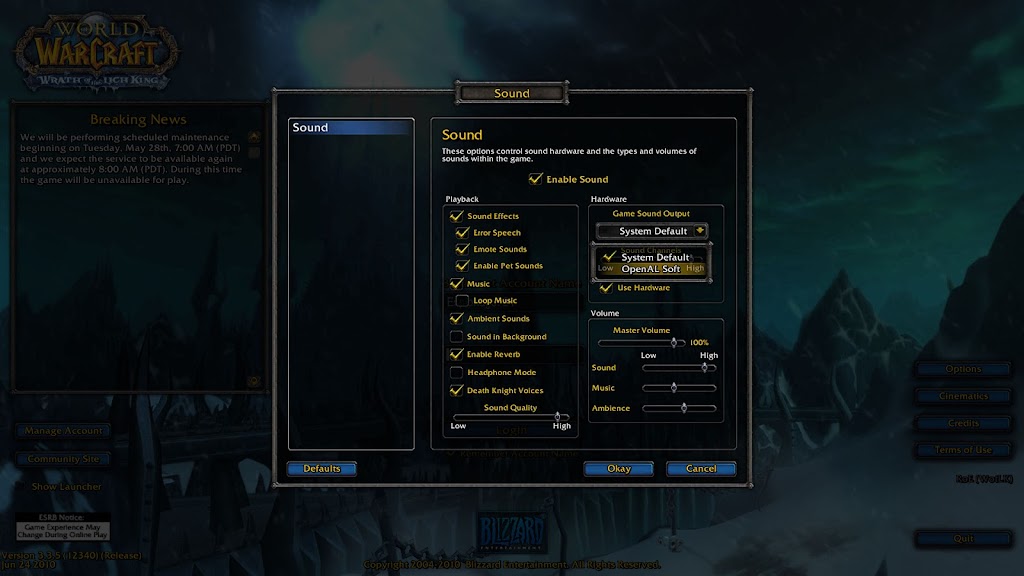
World of Warcraft WotLK 3.3.5 can do OpenAL audio
I recently set-up a private server for WoW, and have to tweak everything and anything, including an old game from back in 2010 that already runs relatively well :p
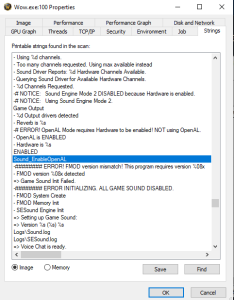
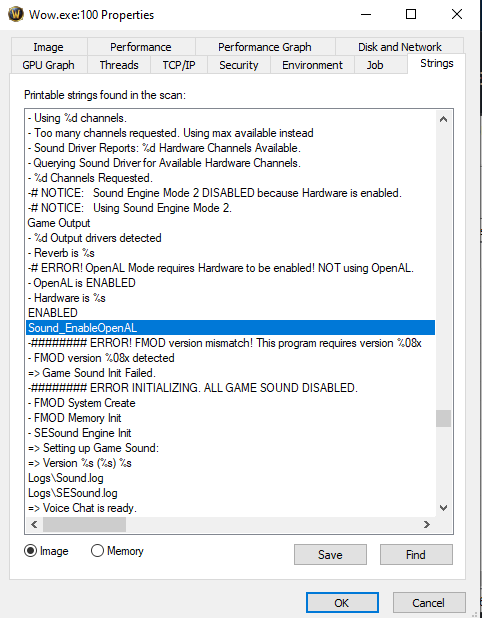
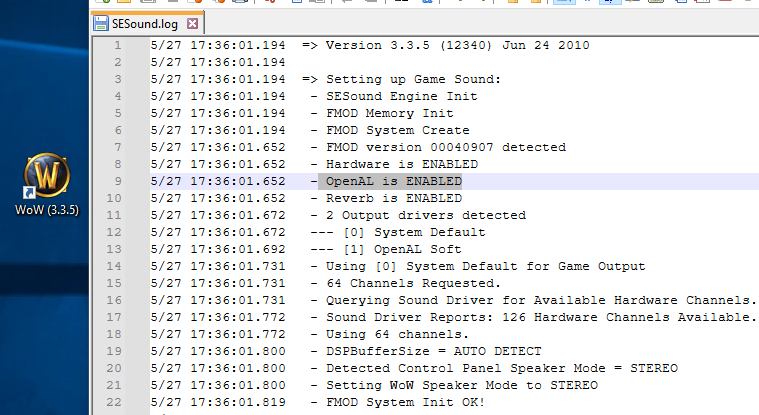
WoW by-default uses FMOD, and can’t do hardware-accelerated audio in Vista+. I was digging around some strings in Wow.exe and found references to OpenAL. Some more digging, I found the cvar “Sound_EnableOpenAL”.
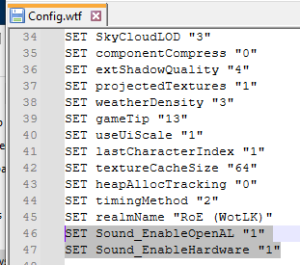
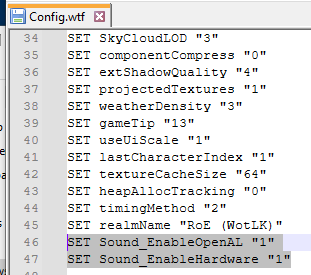
Tossing that cvar into Config.wtf along with enabling Hardware acceleration allows OpenAL to be used in WoW! With the old Creative OpenAL implementation, WoW takes a few seconds longer to load to the log-in screen.
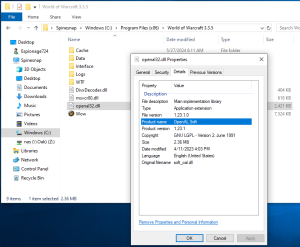
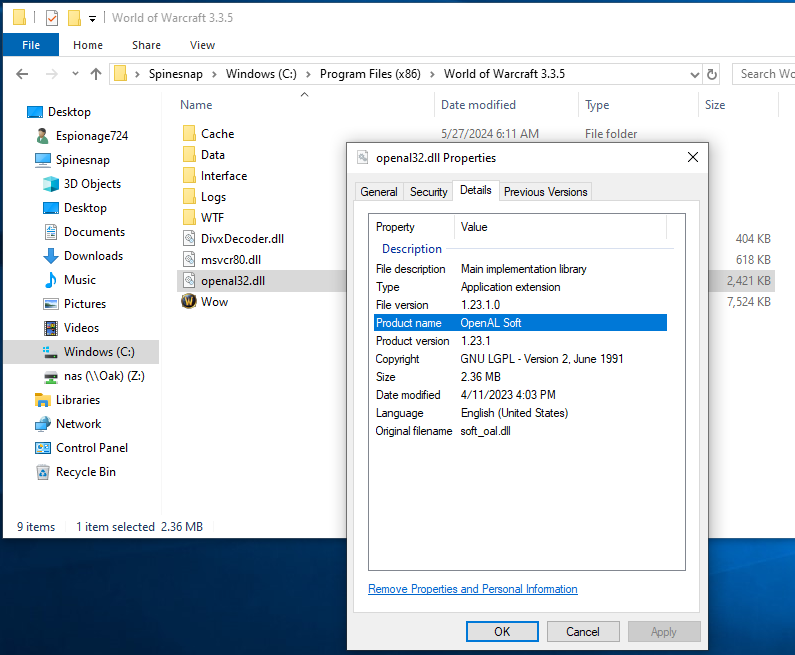
Turns out, dropping-in OpenAL Soft works no problem! SESound.log reports additional sound channels (126, but client only allows and resets to 64 max), and OpenAL Soft’s AL caps viewer reports a lot more functionality over the Creative implementation.
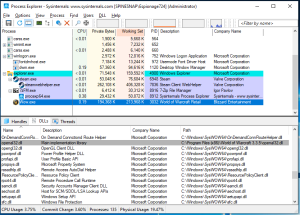
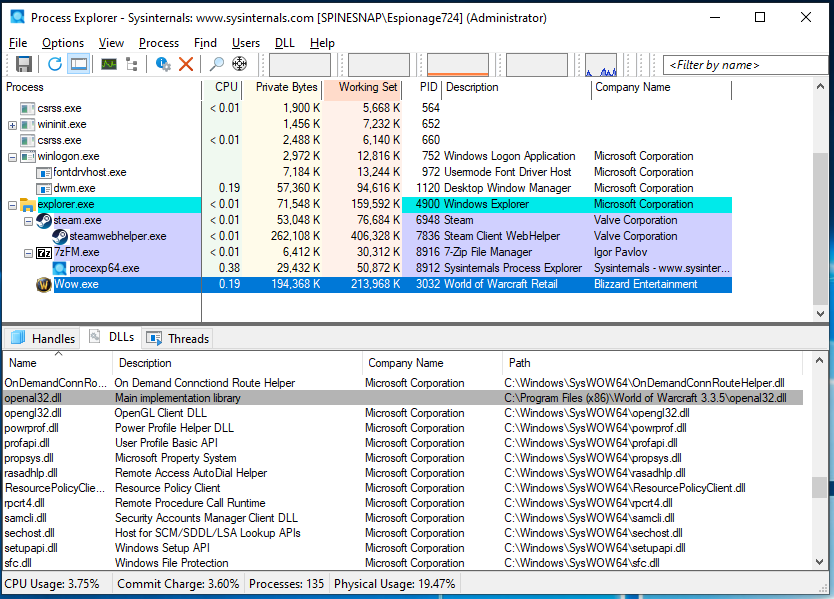
Process Explorer shows the dropped-in OpenAL Soft dll being loaded (no OpenAL dll is loaded without the cvar), and audio works in WoW.
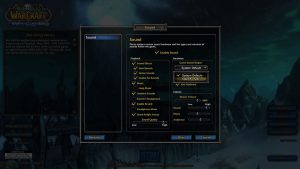
With about 5 minutes of playing with old desktop Stereo speakers, I didn’t notice anything sounding different. Stereo sound still worked (tested by rotating near the fire in Goldshire Inn). I don’t know if there’s any advantages going through OpenAL Soft vs dsound, but this sounds like a better option for operating systems Vista+ (including 10 LTSC 21H2).
Interestingly there’s also strings mentions of ASIO, but I haven’t found a way to tangibly test or enable it. I doubt WoW 3.3.5 reasonably benefits from the lowest of low-latency audio.
-
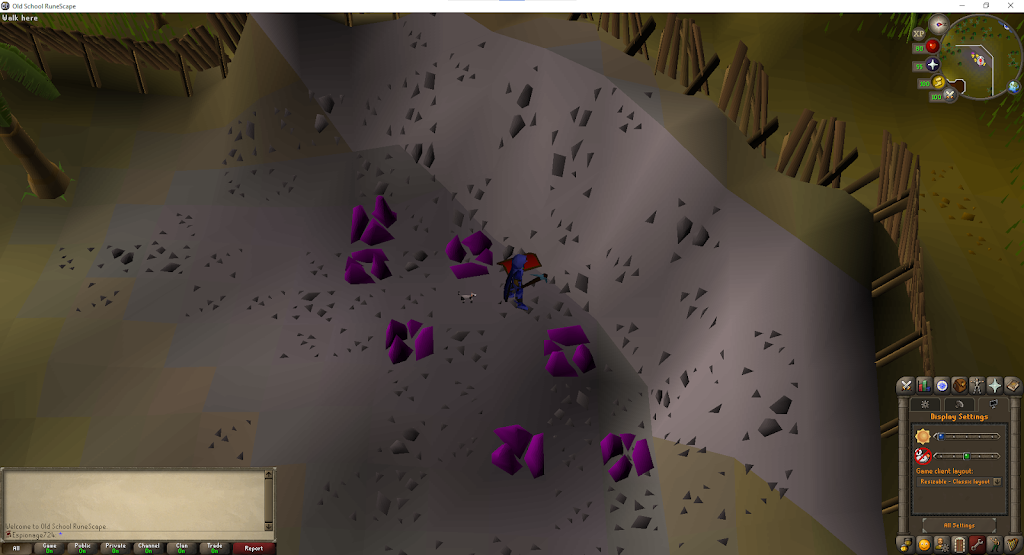
Old School RuneScape Legacy Java Client vs New Official Client (C++) Brightness
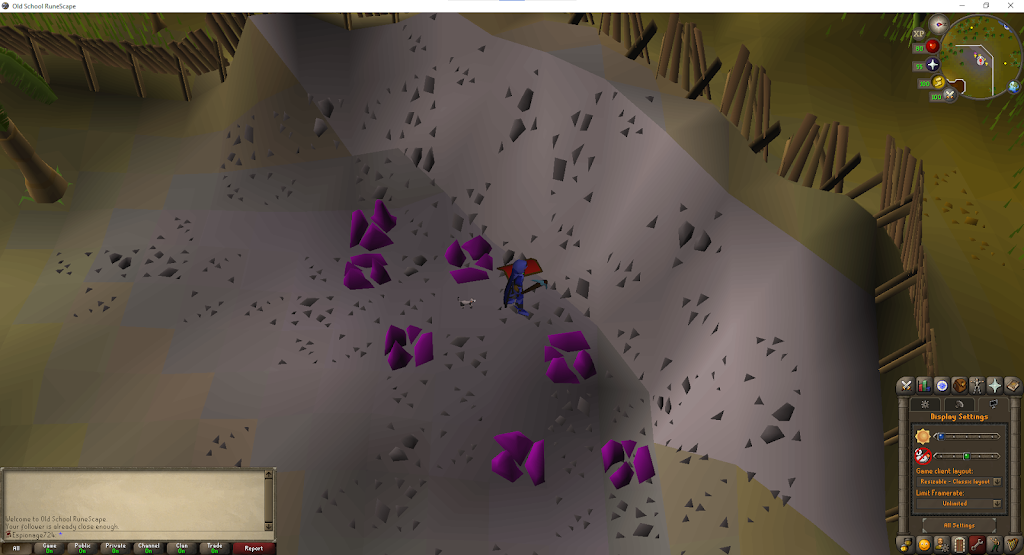
I was curious on a framerate test in Lumbridge castle between the Java and C++ OSRS clients, and found that there’s a notable difference in the lowest brightness of the game world, with the C++ new client being slightly brighter (screenshots at the bottom; I recommend new Tabs to switch between for comparisons).
There are other subtle differences too like the camera distance (both are at default), the minimap, and fine details on the grass tiles on the outer-edge around the fences. On the top-left-most Gem rocks, the outer-left rock’s shadow loses some gradient and fine details on the shadow on the that are seemingly “smoothed-out” on the C++ client.
I prefer the Java client’s more saturated colors and the harder-red. I’ve played from the Java client at 50 FPS for years and I’m used to it (along with needing no extra features from the C++ client), but I got used to that smooth camera movement with GPU acceleration.
I’m playing from the Java client again currently (Jagex Launcher), and after a few days I haven’t felt the need to switch back to C++. Black colors actually being black and other colors being saturated is nice! You can find my RuneScape hiscores and screenshots here.
Legacy Java Client:
New Official Client (C++):
-
Seamless BitLocker Encryption and Online Key Recovery!
I was updating my laptop’s TPM firmware the other day and was using the latest 11 Insider build. I disliked the idea of disk encryption since back in 2015 when it was confusing dealing with discard/trim and LVM on Linux, and never bothered with BitLocker by association.
It was only during that TPM update that the updater warned me about needing to suspend BitLocker; I don’t know what the alternative option was but I was more interested in actually checking if I had enabled it without noticing. It was automatic, and most importantly it wasn’t noticeable up until that point.
That is how disk encryption should be done!